
CRM – Applications
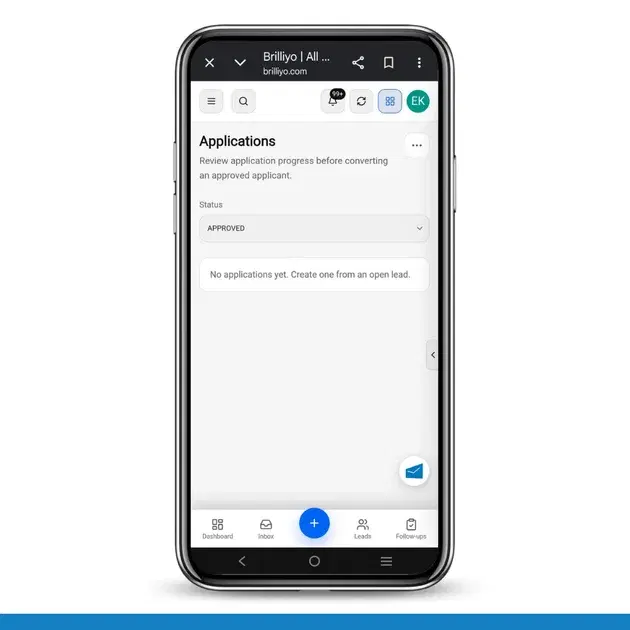
The Applications feature in Brilliyo CRM helps you review and manage applicant applications before converting an approved applicant into a student.
You can track the application progress using different statuses, from the initial draft to approval or rejection.
How to Use Applications
Step 1: Open CRM
Log in to your Brilliyo account.
From the main menu, open CRM.
Step 2: Select Applications
From the CRM menu, click on Applications.
The Applications page will open.
Here, you can view and manage applicant applications.
Step 3: Review the Application List
On the Applications page, you can check the applications and their current status.
The status helps you understand where each application is in the admission process.
Step 4: Open an Application
Click on the application you want to review.
Open the applicant's application details and check the available information before moving the application to the next stage.
Step 5: Track the Application Status
Brilliyo provides the following application statuses:
Draft – The application has been created but is not yet submitted.
Submitted – The applicant has submitted the application for review.
Under Review – The application is currently being checked by the institute.
Approved – The application has been reviewed and approved.
Rejected – The application has been reviewed but was not approved.
Cancelled – The application has been cancelled and is no longer active.
Step 6: Review an Application
When an application is Submitted or Under Review, review the applicant's available information carefully.
Check the application details and supporting information required by your institute before making a decision.
Step 7: Approve or Reject the Application
After reviewing the application, update its status according to the outcome.
If the application meets your institute's requirements, set the status to Approved.
If the application does not meet the requirements, set the status to Rejected.
If the application is no longer being processed, use Cancelled where applicable.
Step 8: Convert an Approved Applicant
Once an application has been reviewed and its status is Approved, the approved applicant can be moved forward in the admission workflow.
Before converting the applicant, make sure the application details have been reviewed and are correct.
Application Status Flow
The application can move through the following stages:
Draft → Submitted → Under Review → Approved
If the application is not accepted:
Under Review → Rejected
If the application is cancelled:
Any applicable stage → Cancelled
Example
Suppose an applicant submits an admission application.
The application can be managed as follows:
Draft
↓
Submitted
↓
Under Review
↓
Approved
After approval, review the application once more and proceed with the applicant conversion process.
If the application is not accepted, update the status to Rejected.
Summary
The Applications feature helps institutes track applicant progress in an organized way. You can review applications, update their status, and move approved applicants forward in the admission workflow.
Quick Navigation:
Brilliyo CRM → Applications → Select Application → Review Details → Update Status → Convert Approved Applicant