Documentation
Everything you need to know about using Brilliyo School Management System
Accounting
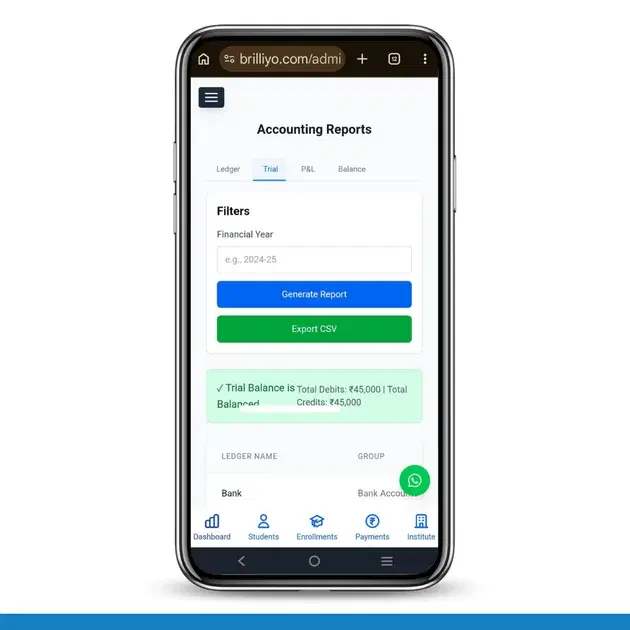
Accounting Feature – Reports
The Financial Reports feature in Brilliyo Accounting helps institutions analyze and track their complete financial performance. It allows administrators to generate important accounting reports such as Ledger Books, Trial Balance, Profit & Loss Account, and Balance Sheet.
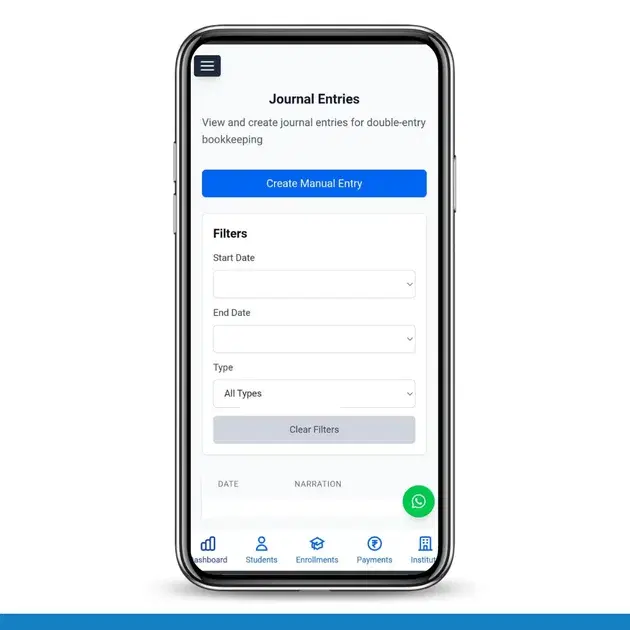
Accounting Feature – Journal Entries
The Journal Entries feature in Brilliyo helps institutions record, manage, and track all financial transactions systematically. It ensures that every transaction is posted to the correct ledgers following double-entry accounting rules, keeping your books accurate and balanced.
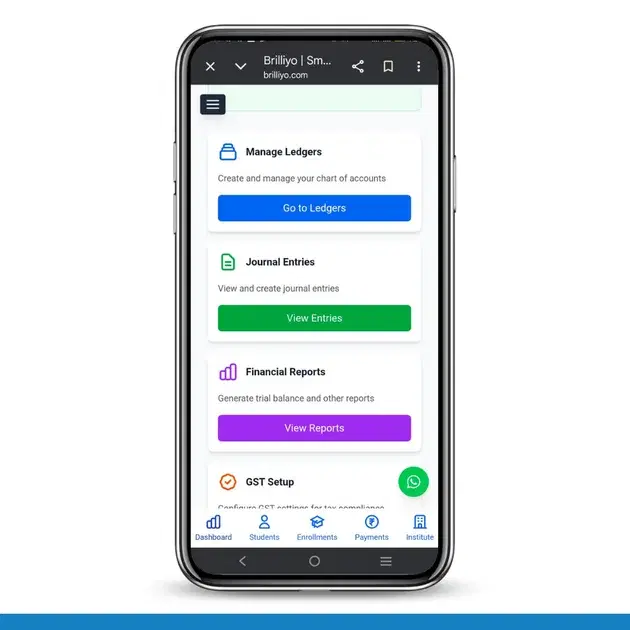
Accounting Feature – Ledger Management
The Ledger Management feature in Brilliyo helps institutions organize and maintain their complete chart of accounts for accurate financial tracking. It ensures all financial data like assets, liabilities, student receivables, and employee accounts are stored securely and accessible when needed
CRM
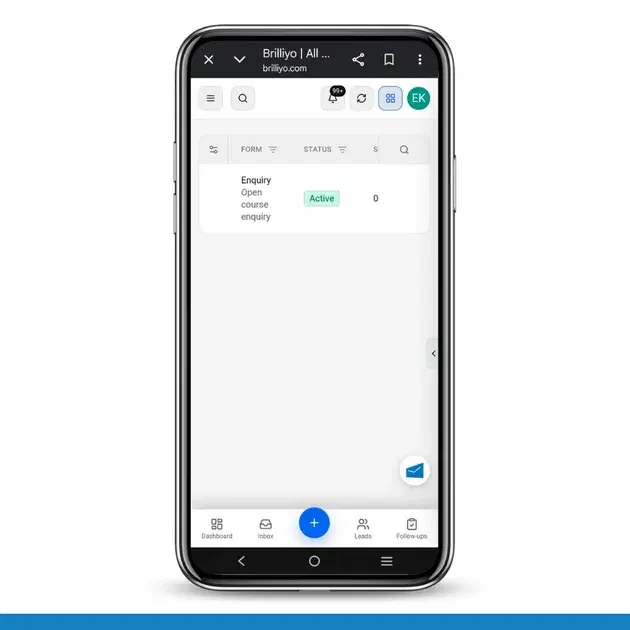
CRM – Lead Capture Form
The Lead Capture Form feature in Brilliyo CRM allows institutes to create a public enquiry form for capturing student leads. The form can be shared with students through a QR code, allowing them to submit their details directly to the CRM.
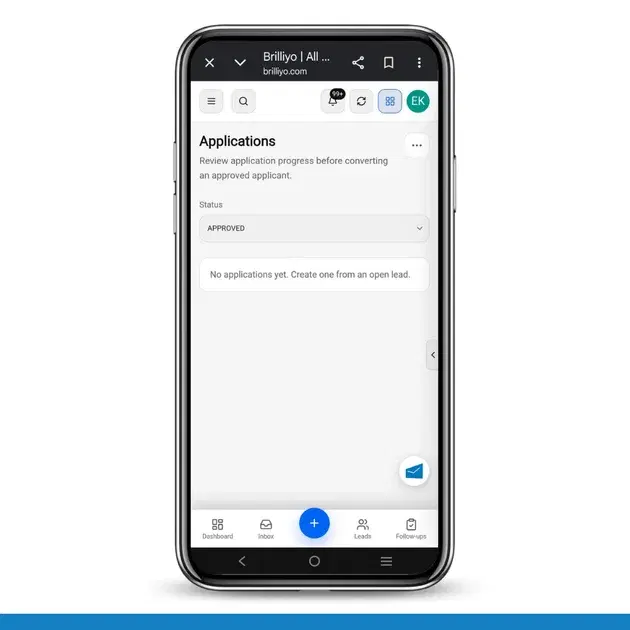
CRM – Applications
The Applications feature in Brilliyo CRM helps you review and manage applicant applications before converting an approved applicant into a student. You can track the application progress using different statuses, from the initial draft to approval or rejection.
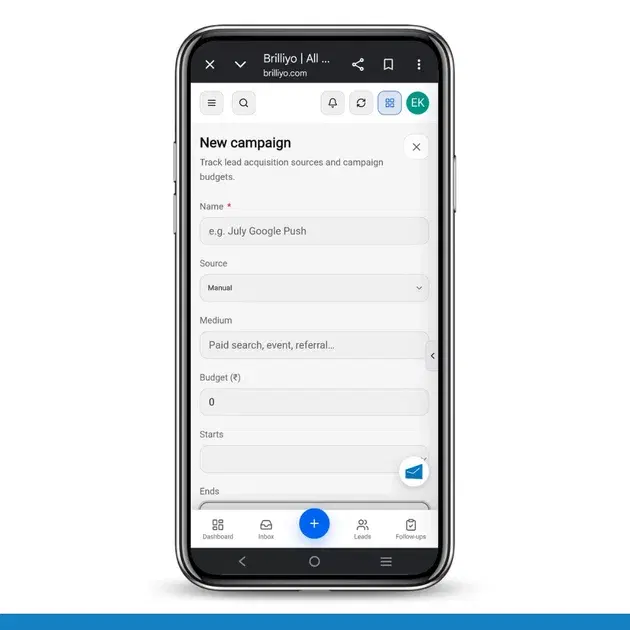
CRM – Campaigns
The Campaigns feature in Brilliyo CRM helps you create and manage marketing campaigns. You can record the campaign source, medium, budget, campaign duration, target course, status, and description in one place.
Features

CRM – Inbox
The Inbox feature in Brilliyo CRM allows you to manage and respond to conversations with your leads from one place. You can search for leads, open their conversations, and continue communication directly from the CRM.
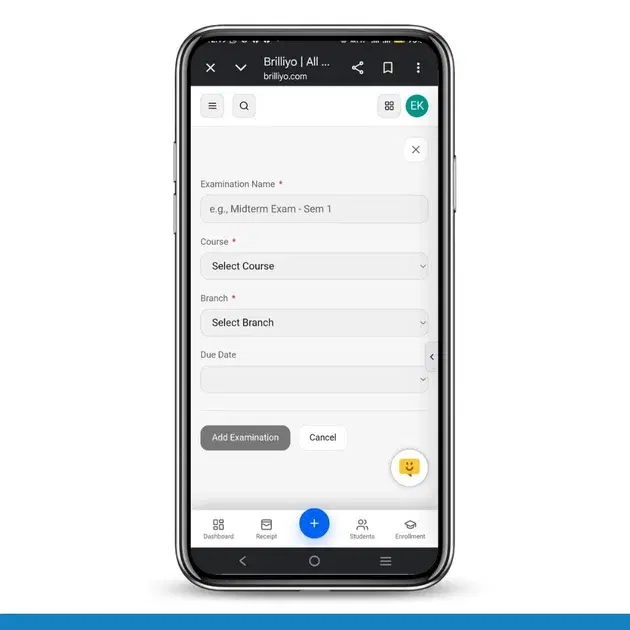
Report Card Module – User Guide
Before you begin, navigate to Courses → Report Card. This module allows you to create examinations, enter student marks, generate report cards, and prepare exam schedules.
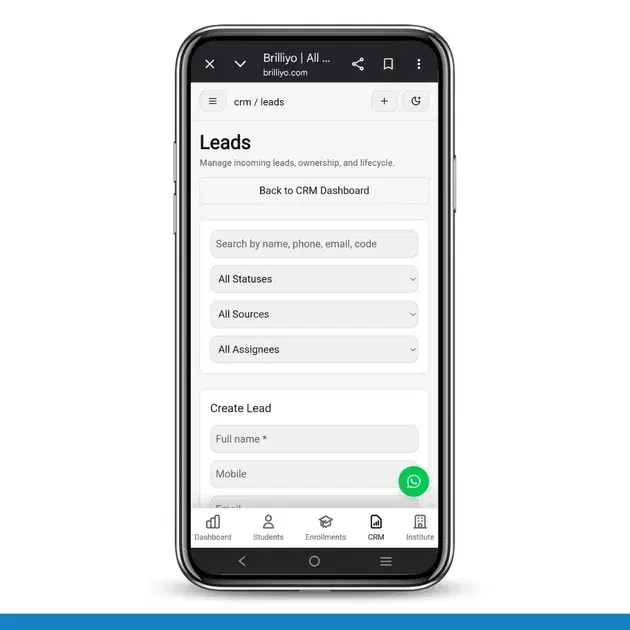
Brilliyo CRM Leads Feature
Managing admissions and inquiries becomes much easier with the Brilliyo CRM Leads feature. It helps schools, colleges, coaching centers, and educational institutes track every lead from the first inquiry to final enrollment.
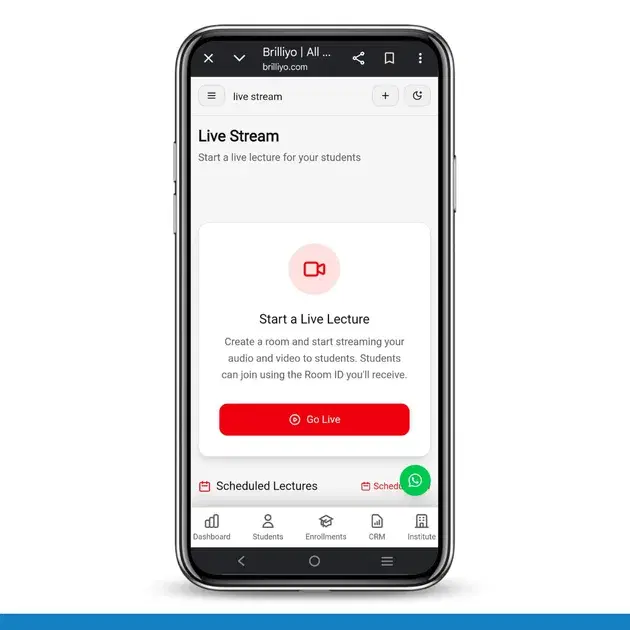
Live Stream Feature
This document explains how to use the Live Stream feature on Brilliyo to start, run, and manage live lectures for your students.
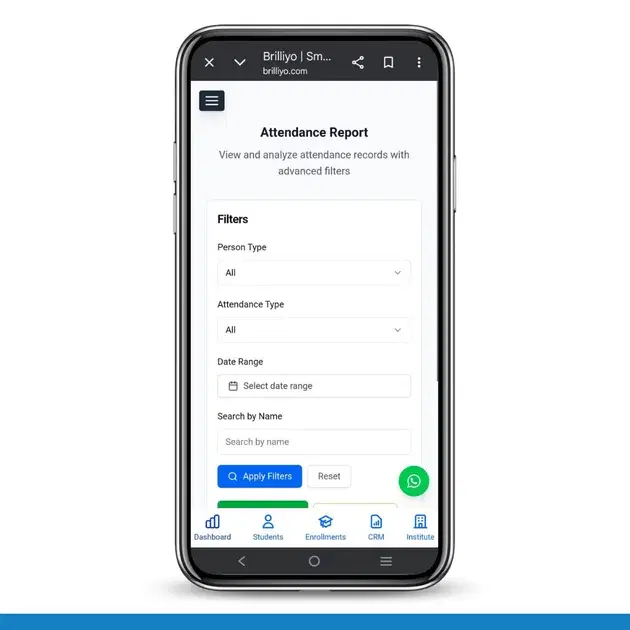
Attendance Feature – Attendance Report
Attendance Feature – Attendance Report
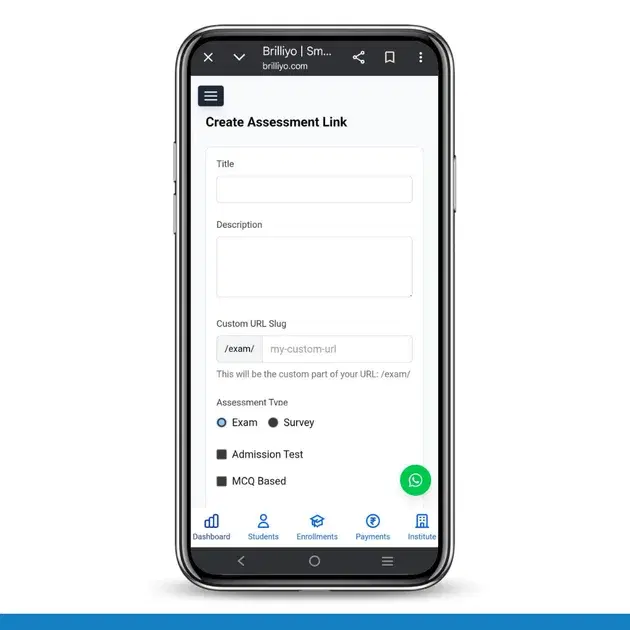
Academics feature
The Assessment Link feature in Brilliyo Academics allows institutes to create and share online exam or survey links with students. It provides full control over assessment settings, timing, question selection, and result delivery.
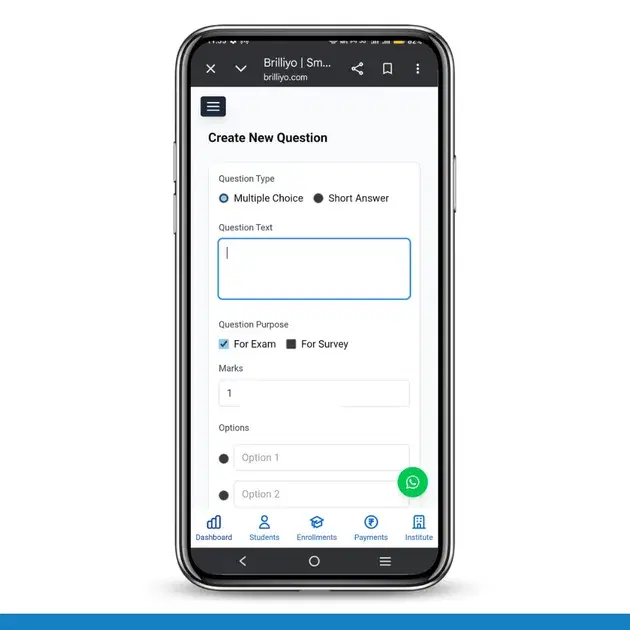
Academics Feature – Create Question
The Create Question feature in Brilliyo Academics (Exam/Survey module) allows institutes to create questions for online exams and surveys. Administrators or teachers can design questions, set marks, choose question types, and add options for assessments. This feature helps in building structured question banks for exams and feedback surveys.
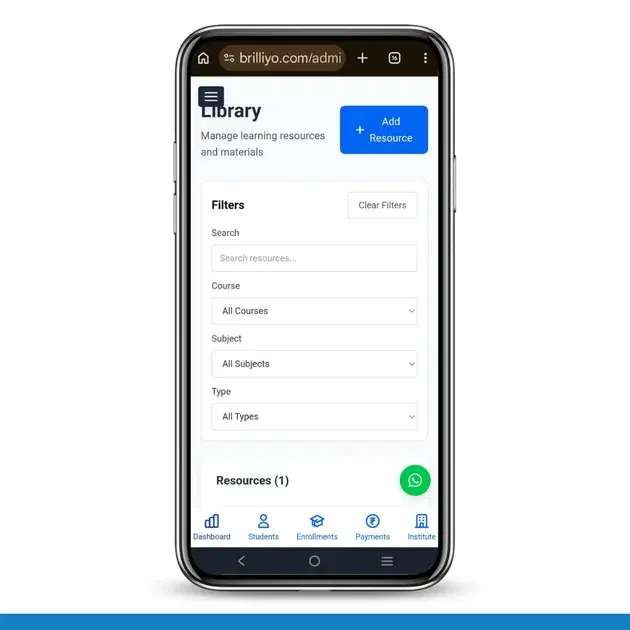
Academics Feature – Library Management
The Library feature in Brilliyo Academics helps institutes manage and share learning resources such as PDFs, documents, notes, and study materials with students in an organized way.
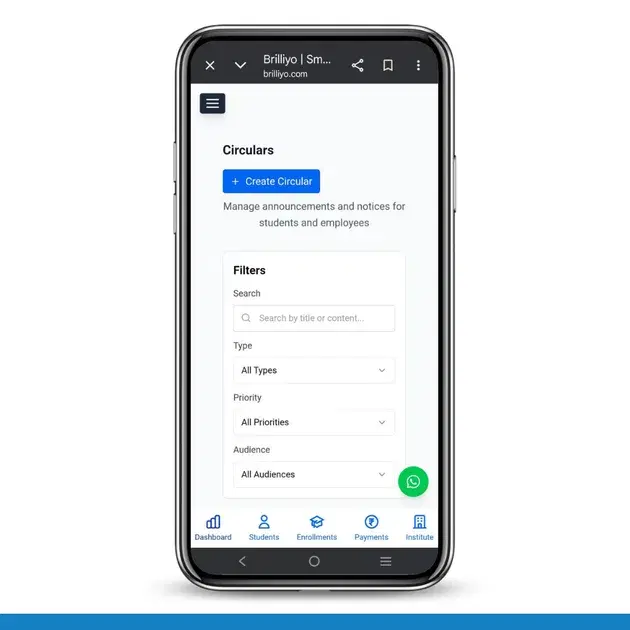
Academics Feature – Circular Management
The Circular Management feature in Brilliyo Academics helps institutes share important announcements like notices, holidays, events, and exam updates with students and employees.
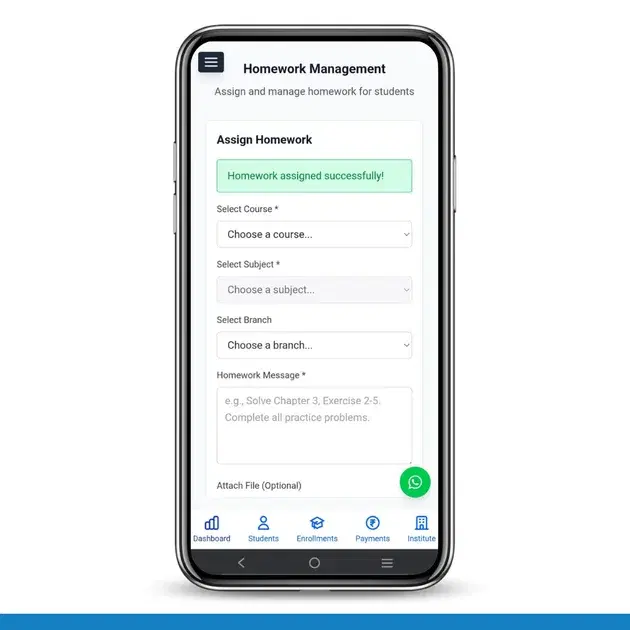
Academics Feature – Homework Management
The Homework Management feature in Brilliyo Academics helps teachers and administrators easily assign and manage homework for students. It allows institutes to organize assignments by course, subject, and branch, ensuring students receive the correct tasks. This feature helps improve communication between teachers and students while keeping assignments properly organized.

Academics – Certificates Feature
The Certificates Feature in Brilliyo Academics allows institutes to create, design, and automatically or manually send certificates for exams and surveys.
Fee Management
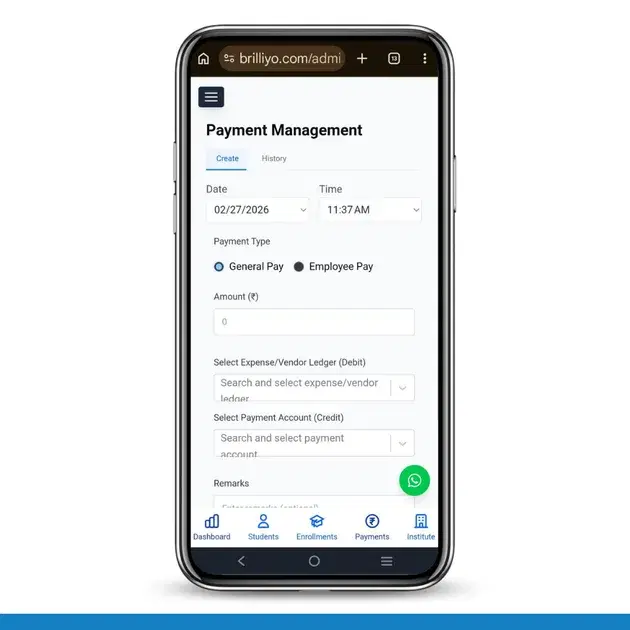
Transaction Feature – Payment Management
The Payment Management feature in Brilliyo helps institutions record and manage outgoing payments such as general expenses and employee salaries. It ensures every payment is properly recorded with ledger tracking and accounting accuracy.
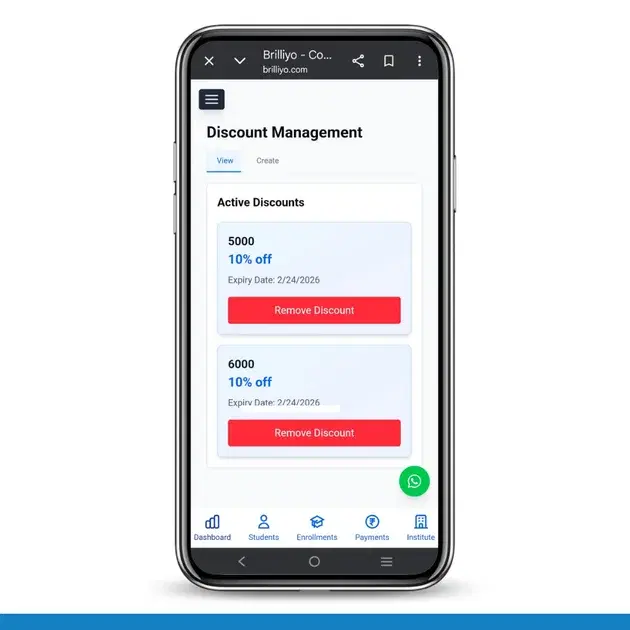
Transaction Feature – Discount Management
The Discount Management feature in Brilliyo allows institutions to create and manage fee discounts easily. It helps apply percentage-based discounts on student payments and control their validity through expiry dates.
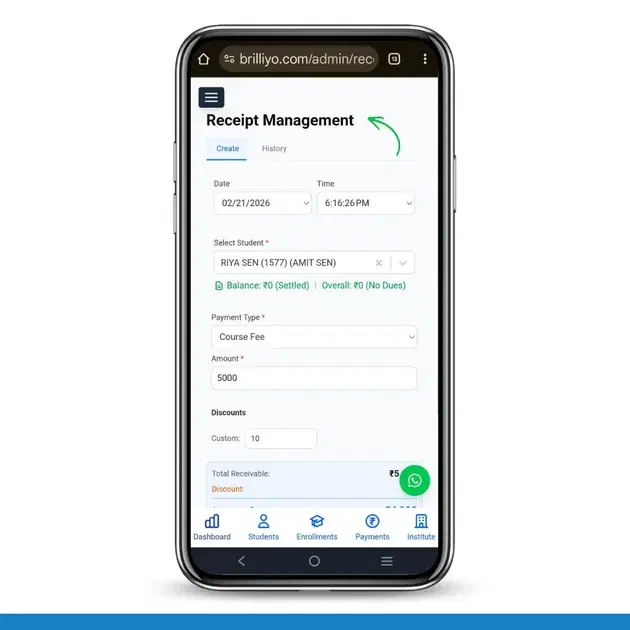
Transaction Feature – Receipt Management
he Receipts feature in Brilliyo helps institutions record and manage student fee payments easily. It ensures every payment is properly documented and stored securely.
Placement
Brilliyo Placement Engine – Matched Jobs
The Matched Jobs feature in Brilliyo Placement Engine helps institutes view job opportunities that are matched to their students. It provides an overview of relevant jobs, the students represented in those matches, and the average match score returned by the system. The goal is to help placement teams identify relevant job opportunities for students and organize placement activities more effectively.
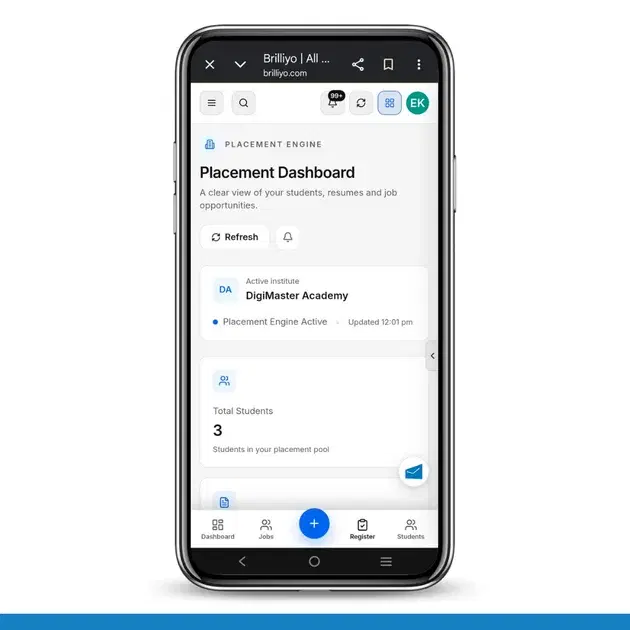
Brilliyo Placement Engine – Benefits and Dashboard Overview
The Brilliyo Placement Engine helps educational institutes manage student placement activities from one place. It provides a clear overview of student profiles, resumes, job opportunities, and resume processing status through a centralized Placement Dashboard. Institutes can use it to monitor students' placement readiness, identify incomplete profiles, track resumes, and keep an eye on available job opportunities.
Student Management
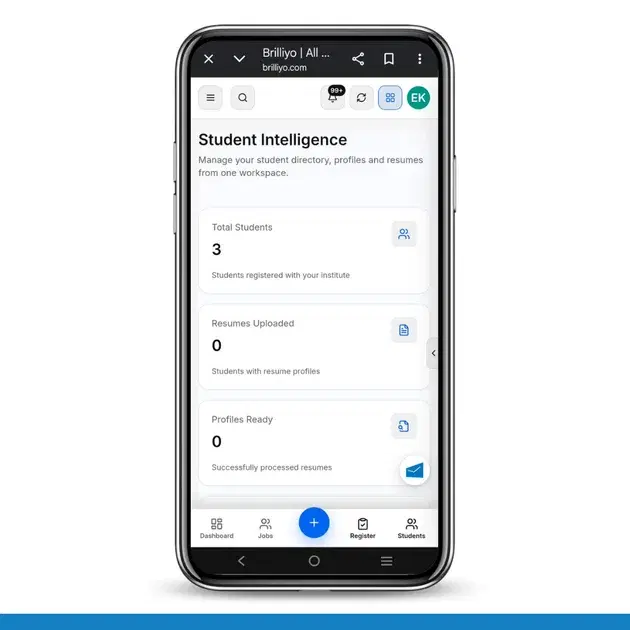
Brilliyo Placement Engine – Add Students
The Student Intelligence feature in Brilliyo Placement Engine helps institutes manage their student directory, student profiles, and resumes from one workspace. It allows placement teams to monitor resume uploads, check profile readiness, and prepare eligible students for job matching.
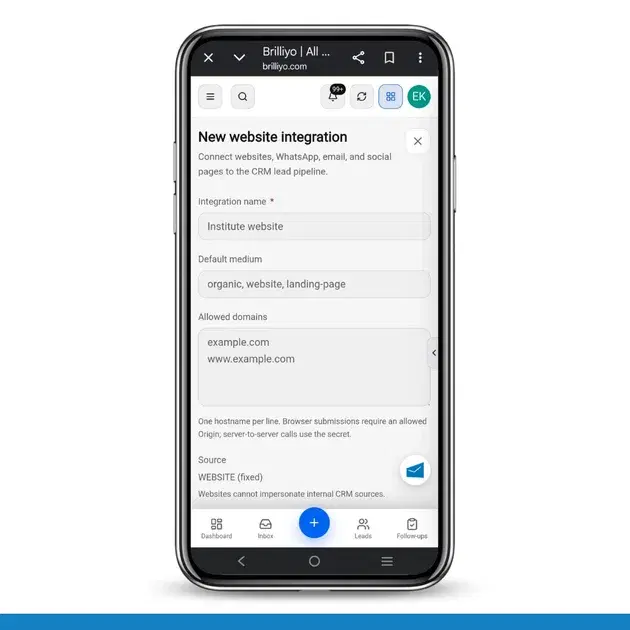
CRM – Integrations
The Integrations feature in Brilliyo CRM allows you to connect your website, WhatsApp, email, and social pages with your CRM lead pipeline. This helps bring leads from external channels into your CRM for centralized lead management.
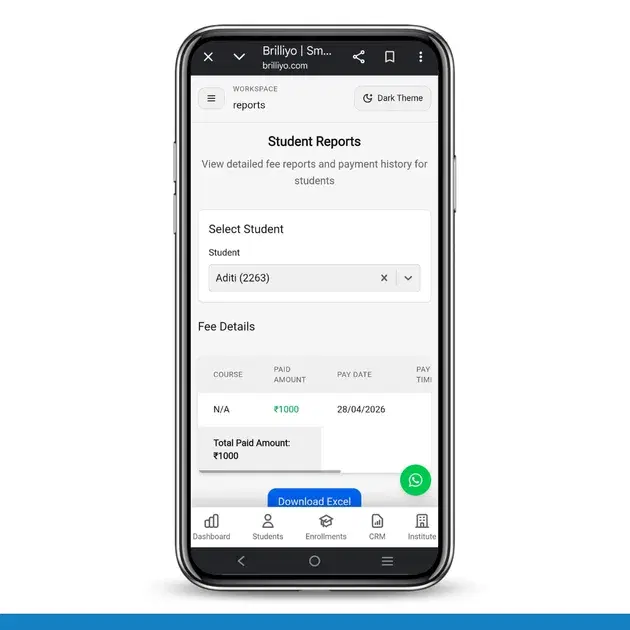
Student Reports – Step-by-Step Guide
The Student Reports feature in Brilliyo helps institutes view detailed student fee payment history, payment modes, and total paid amounts. Administrators can also download reports in Excel format for record keeping and analysis.
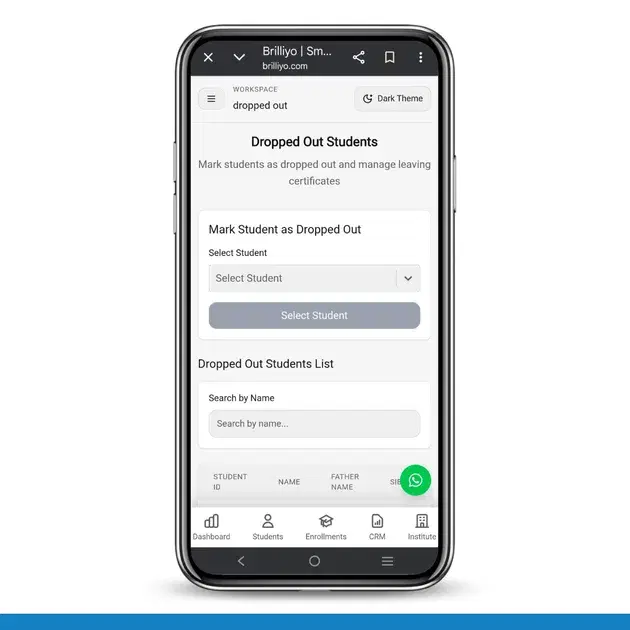
Dropped Out feature
The Dropped Out feature in Brilliyo helps institutes manage students who are no longer continuing their studies. This feature also allows administrators to create manual journal entries for financial adjustments related to the studen
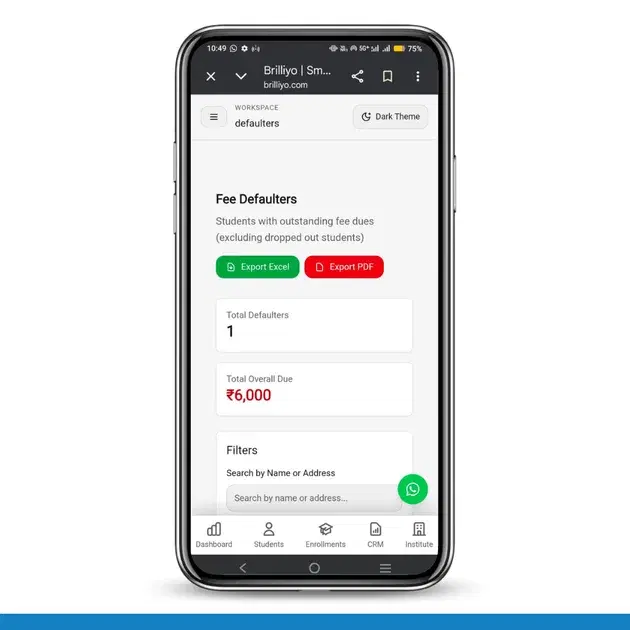
Fee Defaulters – Step-by-Step Guide
The Fee Defaulters feature in Brilliyo helps institutes track students who have pending or unpaid fees. It allows you to monitor outstanding dues, filter records, and quickly collect fees from students.
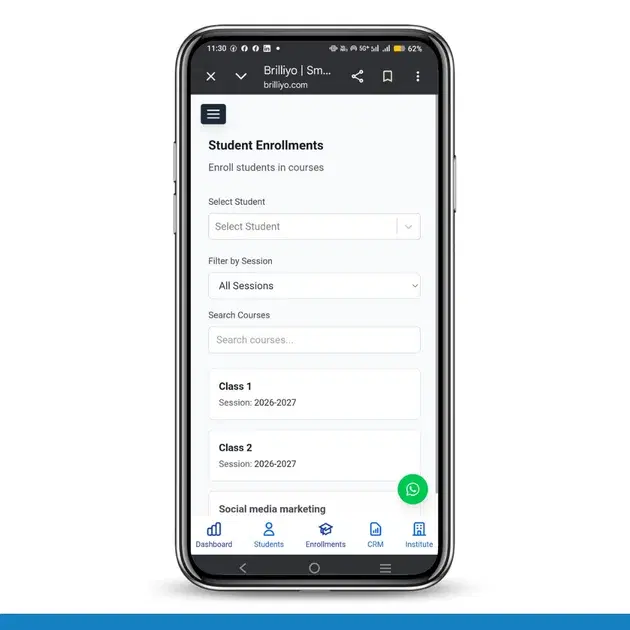
Student Enrollments
The Student Enrollments feature in Brilliyo allows you to assign students to specific courses, sessions, sections, and disciplines.
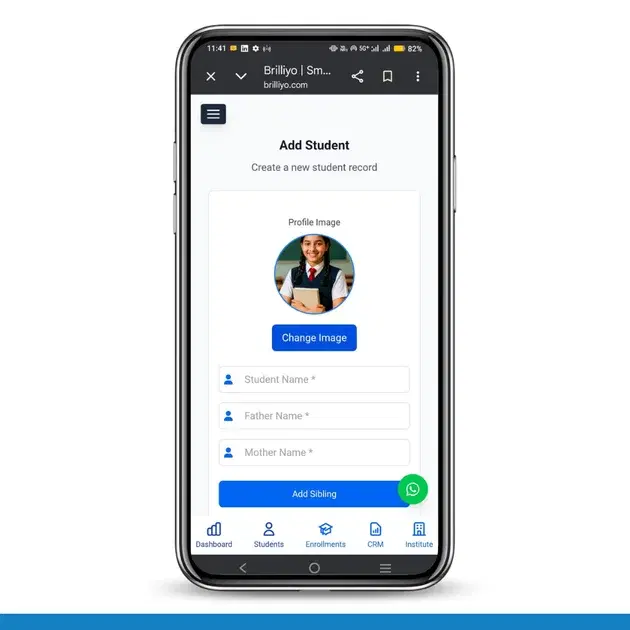
Students Feature – Add Student
The Add Student feature in Brilliyo allows institutions to register new students by entering their personal, academic, and contact details. This ensures proper record management and communication.
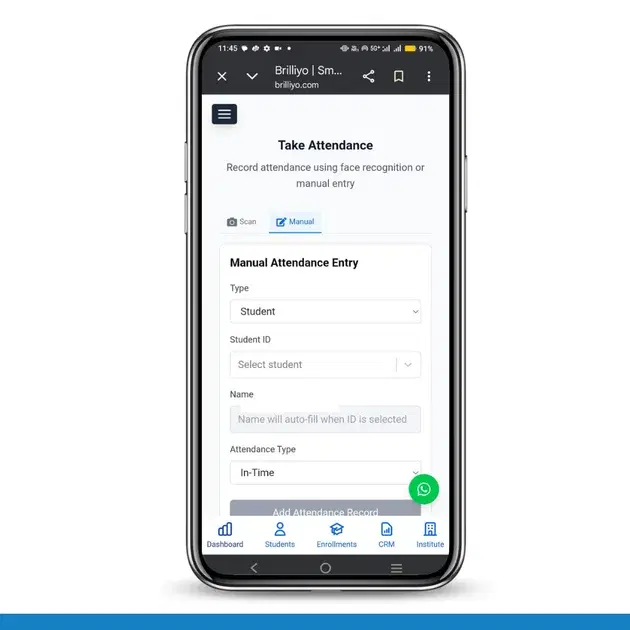
Attendance Feature – Take Attendance
The Take Attendance feature in Brilliyo allows institutes to record attendance using Face Scan (AI-based) or Manual Entry. It supports both Students and Employees and records In-Time attendance efficiently.
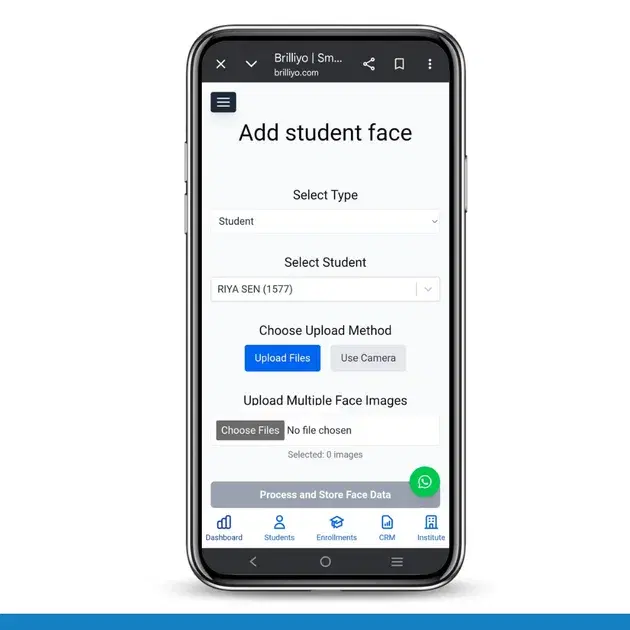
Attendance Feature – Add Face
Academics Feature – Add Face (Attendance)