
Placement Engine – Job Profiles
1. Overview
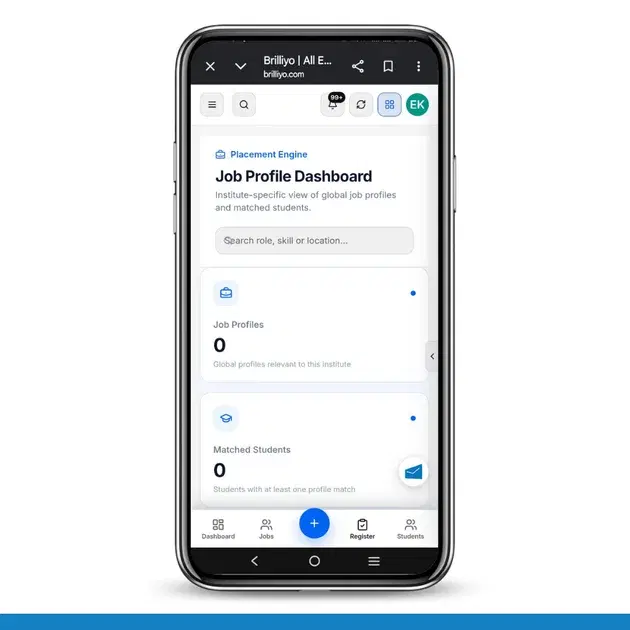
The Job Profiles feature helps institutes view global job profiles relevant to their institute and identify students who match the requirements of different job roles.
It allows institutes to understand available job profiles, matched students, and overall matching performance from one dashboard.
2. Job Profile Dashboard
The dashboard provides an overview of job profiles and student matches.
Dashboard Metrics (Illustrative Example):
Metric | Example Count | Description |
|---|---|---|
Job Profiles | 25 | Total global job profiles relevant to the institute |
Matched Students | 18 | Students with at least one job profile match |
Profile Matches | 42 | Total student-to-profile matching relationships |
Average Match | 76% | Average match score across the institute's matches |
Note: These figures are examples for documentation purposes, not actual platform data.
3. Matching Job Profiles
The Matching Job Profiles section displays job profiles relevant to the selected institute.
It helps institutes understand which job roles are available and how students match with those roles.
Example:
Job Profile | Matched Students | Average Match |
|---|---|---|
Digital Marketing Executive | 8 | 85% |
Web Developer | 5 | 78% |
Data Analyst | 3 | 74% |
Software Tester | 2 | 68% |
The above job profiles and figures are illustrative examples.
4. Institute-Scoped Matches
Job profile results are displayed according to the current institute scope. This means the dashboard shows profiles relevant to the selected institute rather than displaying unrelated profiles.
5. Searching Job Profiles
Institutes can use the available search filter to find relevant job profiles. The displayed results depend on the institute scope and the applied search filter.
6. Understanding Profile Matches
Profile matching connects students with relevant job profiles based on their available profile information.
Job Profiles: Shows the number of relevant job profiles.
Matched Students: Shows how many students have at least one profile match.
Profile Matches: Shows the total number of student-to-profile relationships.
Average Match: Shows the average matching percentage across the institute's matches.
7. Example Instead of the Empty State
When no profiles match the current institute scope or search filter, the platform may display:
No job profiles found
For documentation, you can use this illustrative example instead:
Matching Job Profiles
25 job profiles available
18 students matched
42 profile matches found
Average match: 76%
This example helps users understand how the section may look when matching job profiles are available.
Important: All numbers and job profile names above are sample data used to explain the feature. Actual dashboard results depend on the institute's available job profiles, student information, and matching results.
Tags:
Related Documentation
https://brilliyo.com/workspace/digimaster-academy/placement-engine/placement-sheet
The Placement Sheet feature in Brilliyo Placement Engine helps institutes manage and track student placement records in one place. Placement coordinators can maintain course progress, placement status, interview history, follow-up tasks, and important student updates.
Brilliyo Placement Engine – Matched Jobs
The Matched Jobs feature in Brilliyo Placement Engine helps institutes view job opportunities that are matched to their students. It provides an overview of relevant jobs, the students represented in those matches, and the average match score returned by the system. The goal is to help placement teams identify relevant job opportunities for students and organize placement activities more effectively.
Brilliyo Placement Engine – Benefits and Dashboard Overview
The Brilliyo Placement Engine helps educational institutes manage student placement activities from one place. It provides a clear overview of student profiles, resumes, job opportunities, and resume processing status through a centralized Placement Dashboard. Institutes can use it to monitor students' placement readiness, identify incomplete profiles, track resumes, and keep an eye on available job opportunities.