
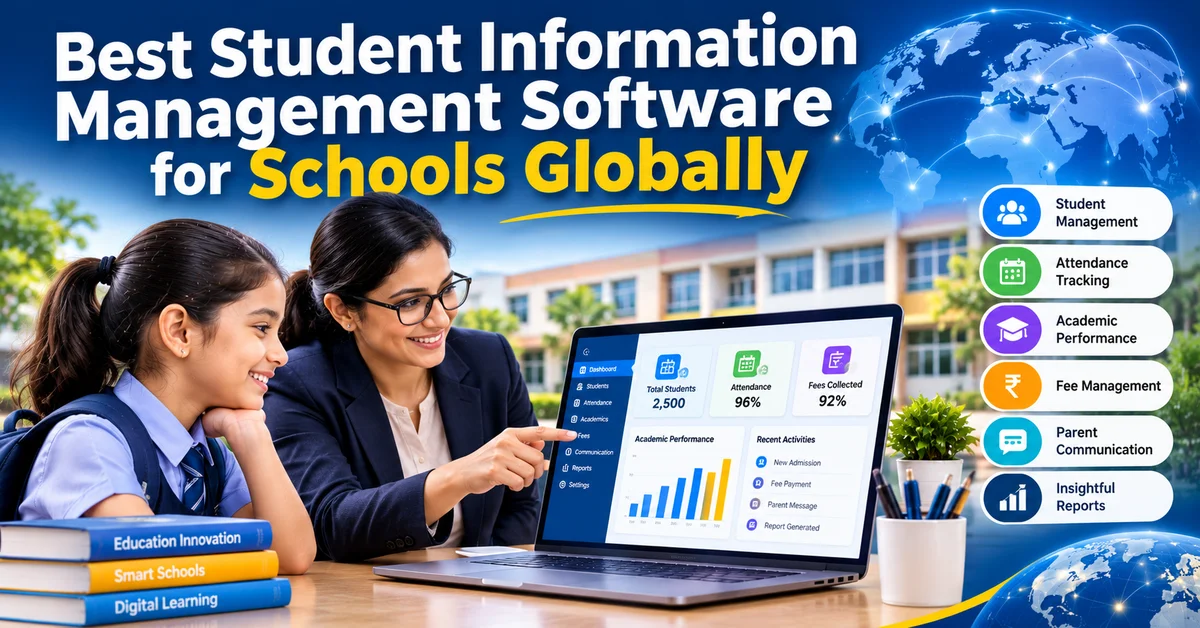
Best Student Information Management Software for Schools Globally
Gaurav Sharma
Blog content executive
Ask a school administrator in Lagos, Leeds, Lahore or Los Angeles what happens when a parent calls asking for their child’s record, and you will hear a surprisingly similar story.
Someone puts the call on hold. Someone else walks to a cabinet. A third person opens a spreadsheet and scrolls. A few minutes later, maybe a few hours later, an answer arrives. Sometimes it is right. Sometimes it is a version of the truth that was accurate last term.
Schools in different countries follow different curricula, speak different languages and work within very different budgets. But the problem of knowing your own students, completely and accurately and at the moment you need to, is the same everywhere. That is why student information management software has become one of the most important tools a school can choose, and also one of the easiest to choose badly.
This guide is for school leaders who want to get it right.
What Student Information Management Software Is
A student information management system, often shortened to SIS, is the place where a school keeps everything it knows about each student, organised so that the right people can find it quickly.
That means personal and family details, emergency contacts, admission and enrolment history, attendance, grades and assessment results, health and medical notes, fee records and every conversation the school has had with the family. In a school without a proper system these things live in different places: a register here, a spreadsheet there, a folder in the principal’s office and a notebook in the nurse’s room.
A good SIS brings them together into one profile per student. When someone asks a question, there is one place to look and one answer to give.
Why the Choice Matters More Than It Seems
It is tempting to treat this as a back-office decision, something for the administrative team to sort out. In practice the SIS touches almost everything a school does.
Teachers use it every morning for attendance and every term for grades. The finance team relies on it for fee records. The school nurse depends on it in an emergency. Parents see its output through every report, notification and receipt they receive. School leaders make decisions based on what it tells them.
When the system is good, all of this runs quietly in the background. When it is poor, the effects show up everywhere: duplicated work, conflicting records, slow answers to simple questions and decisions made on incomplete information. And because the SIS holds so much data about so many people, switching systems later is painful. The first choice tends to stay for years.
What to Look for in a School SIS
Feature lists are long and most platforms tick most of the boxes. These are the questions that separate a system that works from one that merely exists.
Is there genuinely one record per student? Some systems claim to be integrated but actually store attendance, grades and fees in separate modules that do not share data. If an address has to be updated in three places, it is not one record.
Who can see what? Student data includes medical details, financial information and family circumstances. A good system lets you control access by role, so that a teacher sees what they need for teaching, the nurse sees health notes and finance sees fee records, without everyone seeing everything.
How is the data protected? Look for encryption, access logs and clear data retention controls. Ask where the data is stored and which data protection rules the platform is built to meet. Schools in different countries have different legal obligations, and the platform should be able to support them.
Does it work on a phone? A teacher marking attendance in a classroom or a principal checking a record while walking the corridors is not sitting at a desktop. If the mobile experience is an afterthought, people will avoid it.
Does it connect to everything else? A student’s profile is more useful when it sits alongside their learning activity, their parent communication and the school’s analytics. A standalone SIS that cannot share data with the rest of your tools creates a new silo while trying to solve an old one.
What happens after you sign? Most failed implementations are not technology failures. They are support failures. Ask what onboarding looks like, who helps you move your existing records across and what help is available when something goes wrong in month eight.
Mistakes Schools Make When Choosing
A few patterns come up again and again.
The first is choosing on price alone. A cheap system that your staff avoid using costs more than a fairly priced one they use every day.
The second is buying for the administrators and forgetting the teachers. The person who signs the contract is rarely the person who will open the system forty times a day. If teachers find it slow or confusing, the data stops being entered on time, and the whole system loses its value.
The third is moving messy data into a clean system without cleaning it first. Duplicate students, old addresses and inconsistent naming do not fix themselves in migration. A good implementation includes a proper clean-up.
The fourth is treating the SIS as a separate project from everything else. Schools that choose their student records system, their learning platform, their fee system and their parent app independently often end up with four tools that do not talk to each other. Choosing a connected platform from the start avoids years of workarounds.
🔗 Student records are only as useful as the data flowing into them, and exam results are among the most important. Read more: Best Exam Management Software for Schools: Complete Guide 2026
How Brilliyo Handles Student Information
Brilliyo gives every student a complete digital profile from the day they enrol. The profile holds personal and family details, academic history, attendance, health information, fee records and communication history together, and it stays current as the school uses the platform day to day.
There is no separate update step. When a teacher marks attendance, it appears in the profile. When a fee payment is recorded, the receipt and balance update. When a message is sent to a parent, it is logged. The profile is a by-product of the school simply doing its work.
Access is based on roles. Teachers, nurses, finance staff and school leaders each see the parts of a profile that are relevant to them. Data is stored on encrypted cloud infrastructure, and the platform is built to support schools working under different data protection requirements in different countries.
Because the student profile is part of the same platform as attendance, fee management, the LMS, exam management, the parent app and analytics, information flows between them without anyone re-typing it. A principal can look at a student’s record and see the whole picture on one screen. A parent can ask a question and get an accurate answer in seconds.
Brilliyo works for schools of any size and in any country, from a small school with a few hundred students to a large institution with thousands.
What Changes After the Switch
Schools that move from paper and scattered spreadsheets to a connected student information system usually describe the same few shifts.
The first is speed. Questions that used to take a phone call and a search now take a few seconds.
The second is confidence. Staff stop wondering whether the record they are looking at is the latest one.
The third is better conversations. A teacher preparing to meet a parent can see attendance, grades and previous communication in one place, and the meeting is more useful for it.
The fourth is earlier action. When all the information about a student sits together, patterns become visible sooner: a drop in attendance alongside slipping grades, a health note that explains a change in behaviour. Schools can respond while there is still time to help.
🔗 Accurate records also help schools prepare students for new fields as education itself changes. Read more: India’s First Physical AI School Is Coming, And It Changes Everything About How We Think About Education
Conclusion
The best student information management software for schools is not the one with the longest feature list. It is the one that gives you a single, accurate record for every student, protects that data properly, works comfortably on the devices your staff actually use and connects to the rest of how your school runs.
Whether your school is in a capital city or a small town, whether your students number three hundred or three thousand, the underlying need is the same: to know your students well and to be able to prove it the moment someone asks.
Brilliyo was built to meet that need as part of a complete school management platform. For any school still searching for files, the move to a connected system is one of the most practical improvements available.
Frequently Asked Questions
What is student information management software for schools?
It is a digital system that stores everything a school holds about each student, including personal details, academic records, attendance, health information, fee records and communication history, in one secure profile that authorised staff can access from any device.
What is the difference between an SIS and a school management system?
An SIS focuses on student records. A school management system, like Brilliyo, includes the SIS and also covers attendance, fee collection, learning management, exams, parent communication and analytics in one connected platform.
Can schools in any country use Brilliyo for student information management?
Yes. Brilliyo is built for schools globally and works regardless of country, curriculum or school size.
How does Brilliyo protect student data?
Brilliyo stores student information on encrypted cloud infrastructure, uses role-based access so staff only see what they need and is designed to support schools working under different data protection requirements.
Can different staff members see different information?
Yes. Access is controlled by role. Teachers, school nurses, finance staff and school leaders each see the information relevant to their work.
Is it difficult to move existing student records into a new system?
It depends on how organised the existing records are. A good implementation includes help with cleaning and importing records so that the new system starts with accurate data.
Is student information management suitable for small schools?
Yes. Small schools often benefit the most because they have fewer staff to spend time searching for and reconciling records.
About the Author
Blog content executive
Creative and detail-oriented Blog Content Executive skilled in creating engaging, informative, and SEO-friendly blog content. Experienced in content research, keyword integration, blog planning, editing, and maintaining consistent brand tone. Passionate about creating valuable content that attracts readers, improves engagement, and supports website growth.
Related Articles
Best LMS Platforms in the World 2026 — And Why Brilliyo Is the Most Complete School Management Solution
Walk into any well-run school today and you will notice something that was not there ten years ago. The principal is not buried in paper files. The receptionist is not answering the same phone call for the third time this morning about fee due dates. The teacher is not carrying a bundle of registers under one arm and a stack of unmarked homework under the other.
Is ChatGPT Making Students Stop Thinking for Themselves?
A student opens ChatGPT, types in their homework question copies the answer. Submits it. This whole process takes than two minutes. They do not have to think. They do not have to struggle. They do not learn.

Why Indian Students Are Choosing Skills Over College Degrees
Something big is happening in India now. More and more young people in India are saying no to the college degree route and opting for learning skills instead. They are signing up for courses, vocational training, coding classes and special training for specific industries. And then they are getting jobs starting their own businesses and building careers that people with degrees are still waiting for.